


Tuya Smart WIFI 1CH 2CH Gate Electric Door Access Motor Lock Switch,DC 12V 24V 32V,1 2 Channel Pulse Relay Module,RF433 Remote

Buy Tuya Smart WIFI 1CH 2CH Gate Electric Door Access Motor Lock Switch,DC 12V 24V 32V,1 2 Channel Pulse Relay Module,RF433 Remote and . Find more then 6090301 products and Enjoy ✓Free Shipping Worldwide! ✓Limited Time Sale ✓Easy Return.
3.47$ – 17.93$



1 Channel Wifi DC/AC7-32V Relay(Two Working Modes)
2 Channel Wifi DC/AC 7-32V Relay(Three Working Modes)
Use for
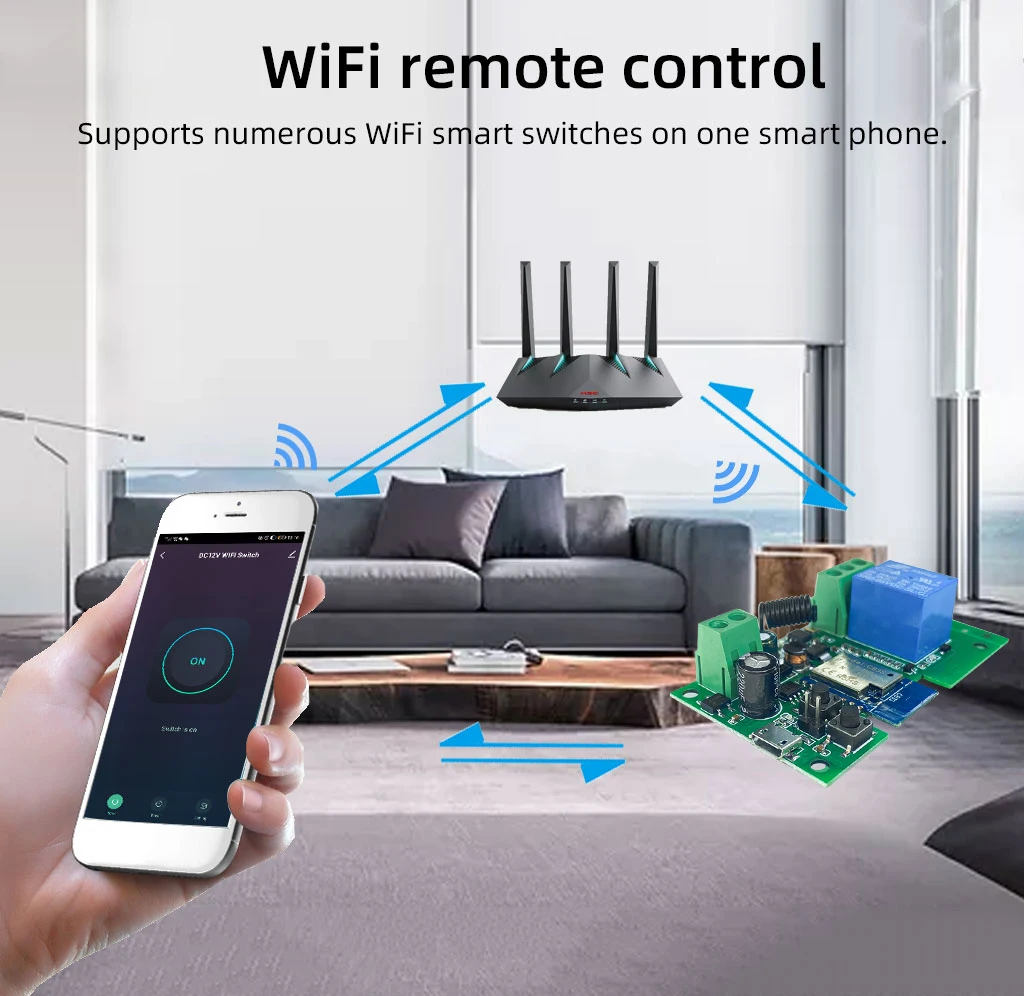
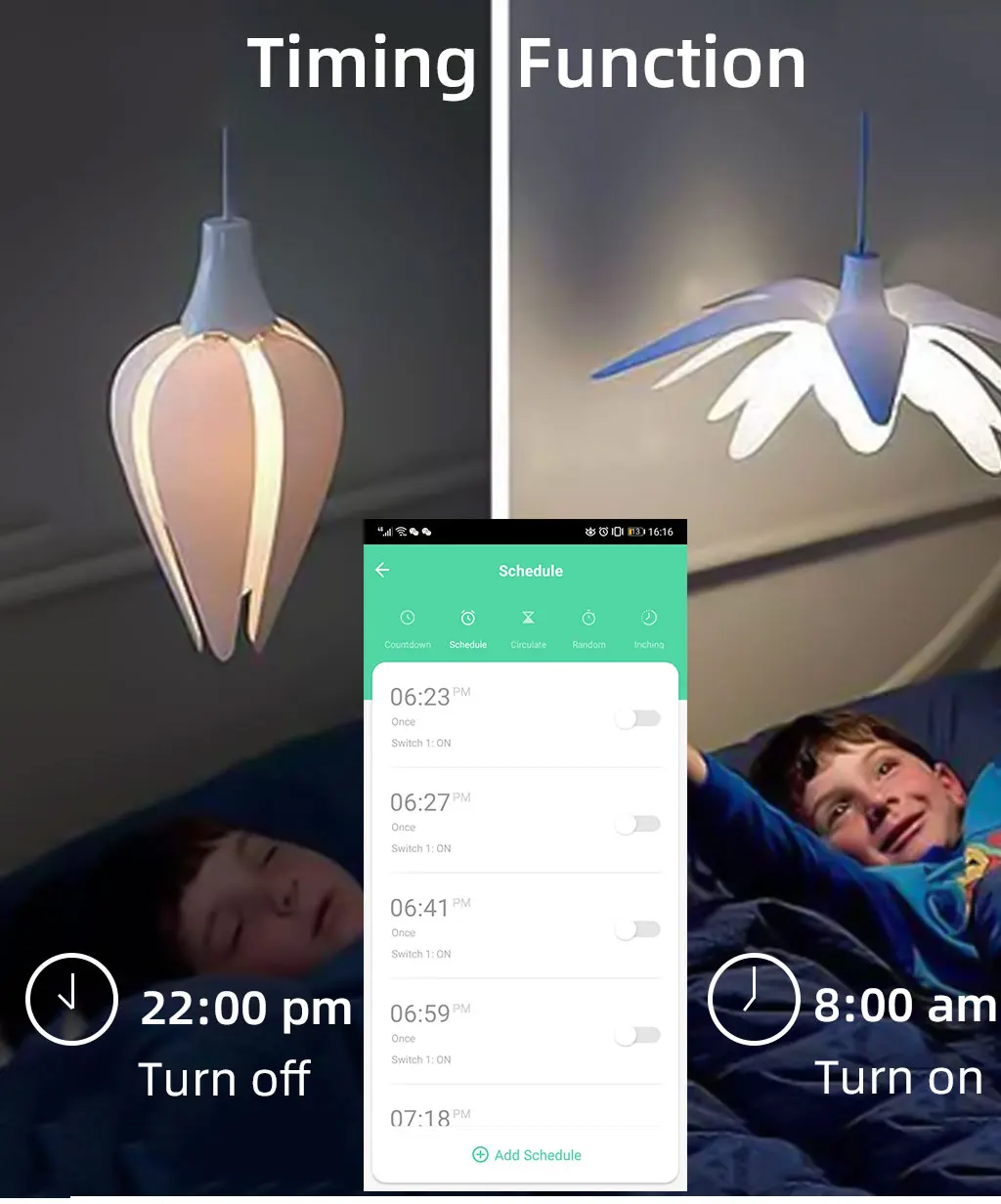
1.Remotely give a pulse signal to turn on/off Lights,Lamps and other home appliance.
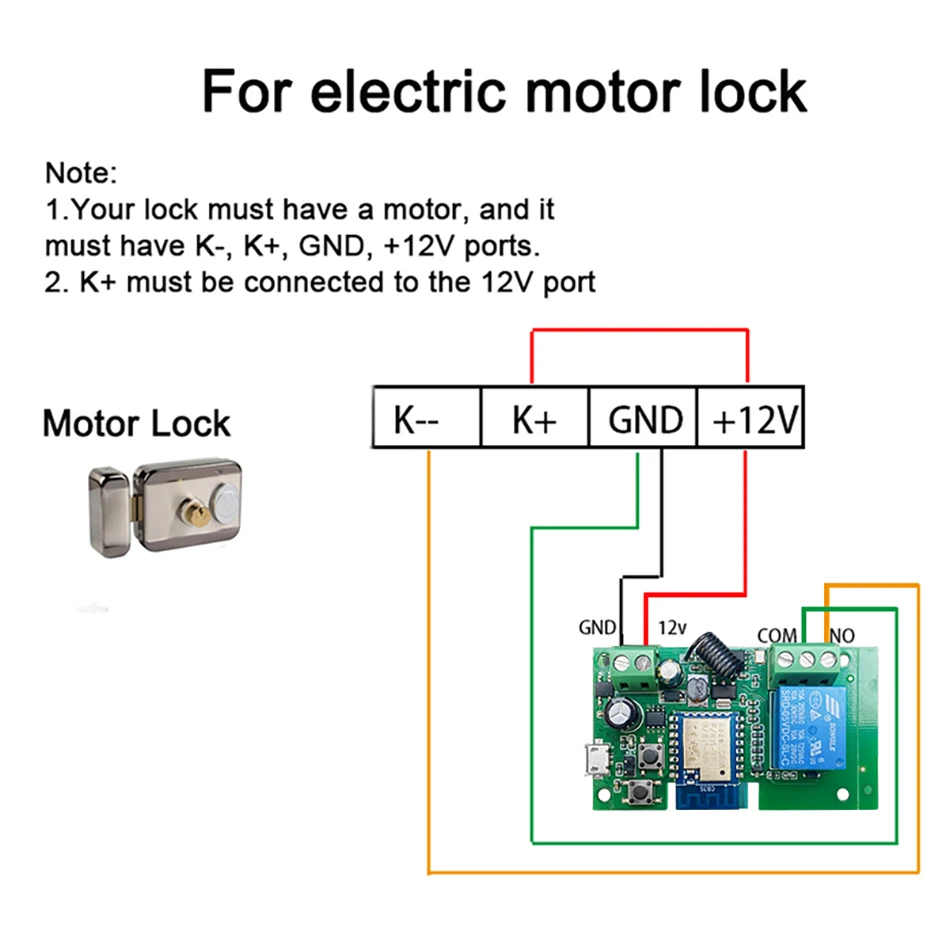
2.Remotely give a pulse signal to turn on/off Garage Door,Door Access,Sliding Door.Electric Motor Lock.
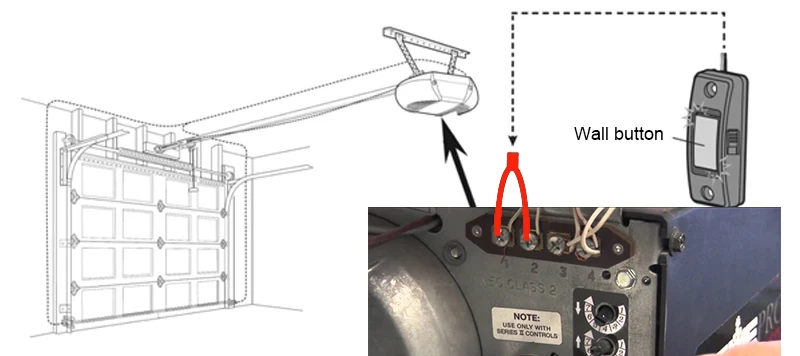
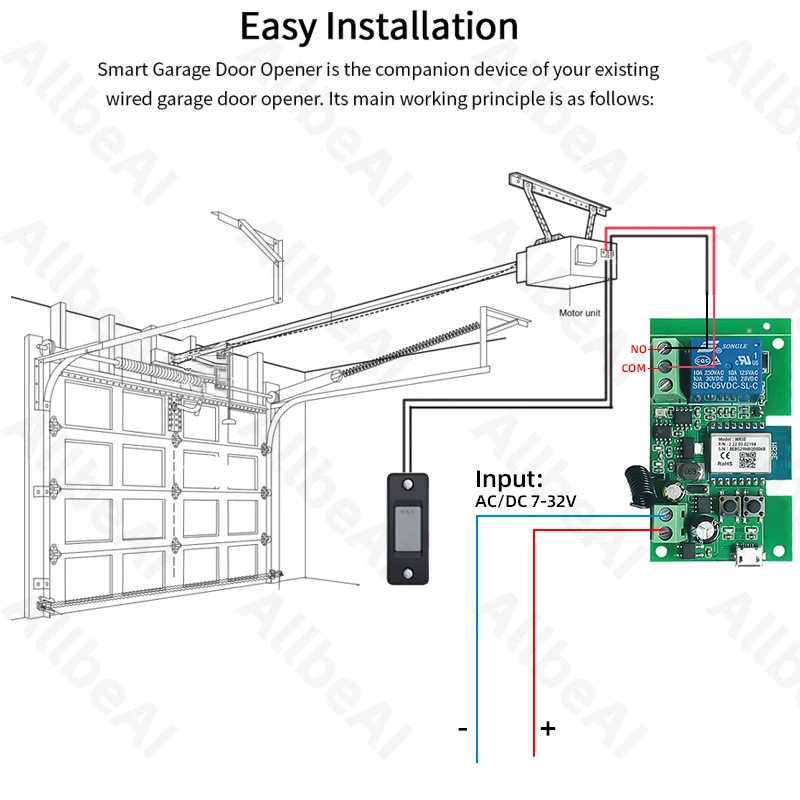
Overview
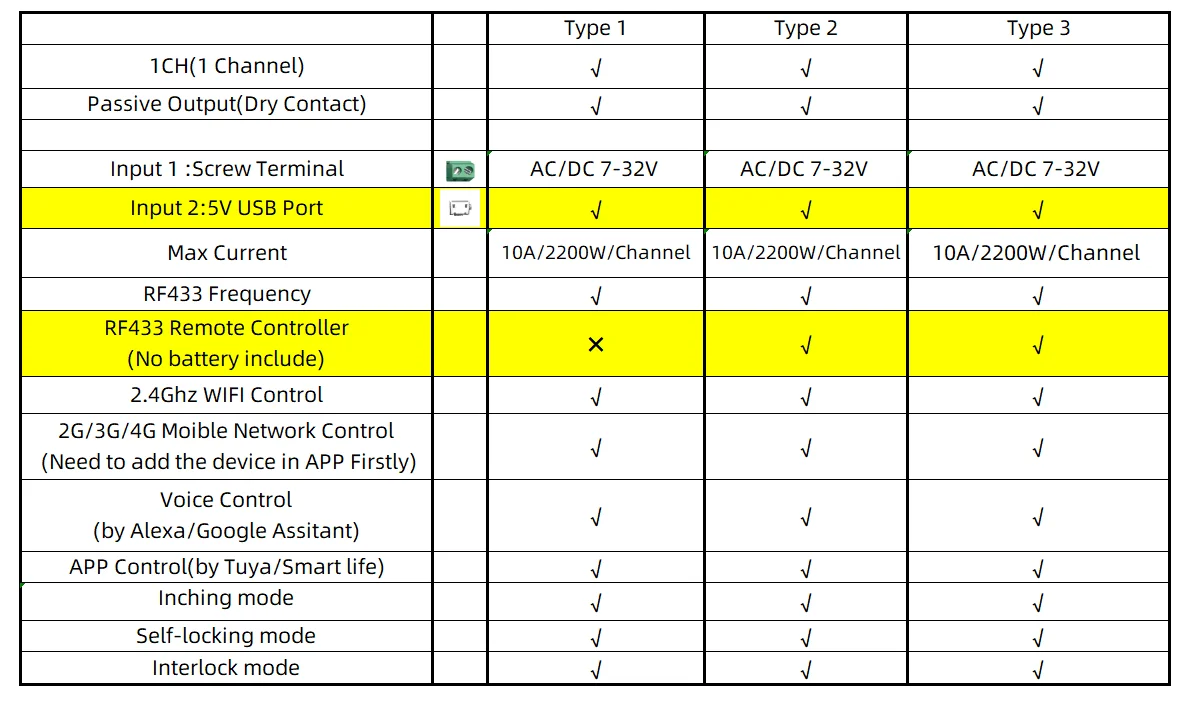
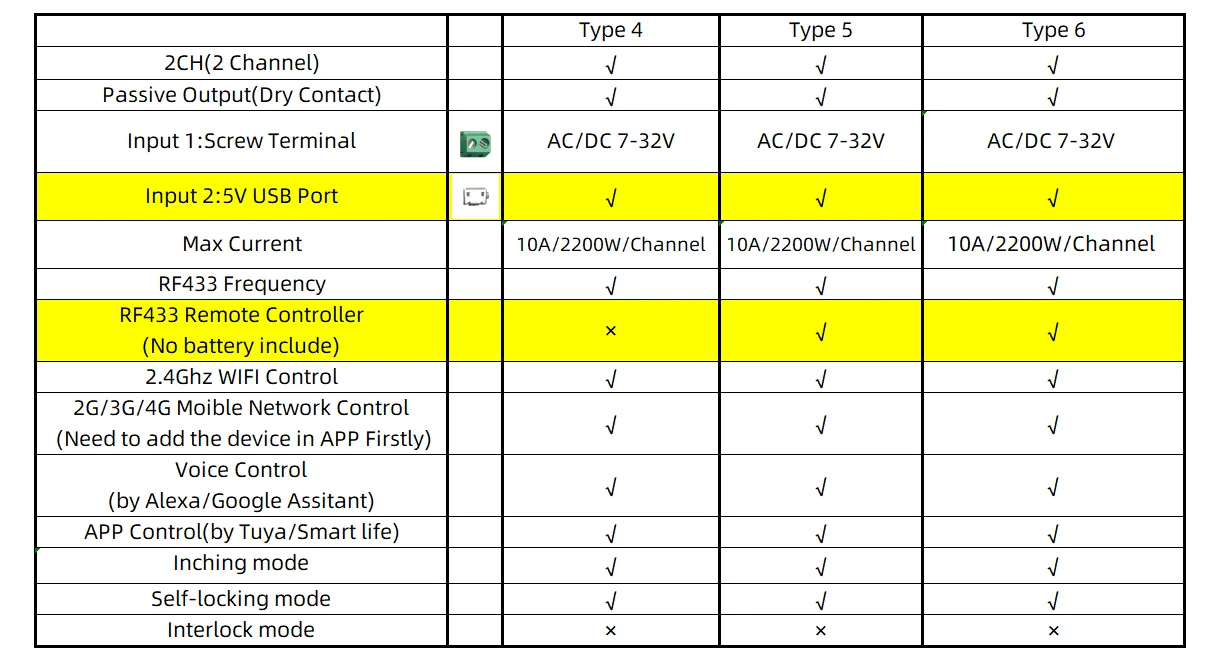
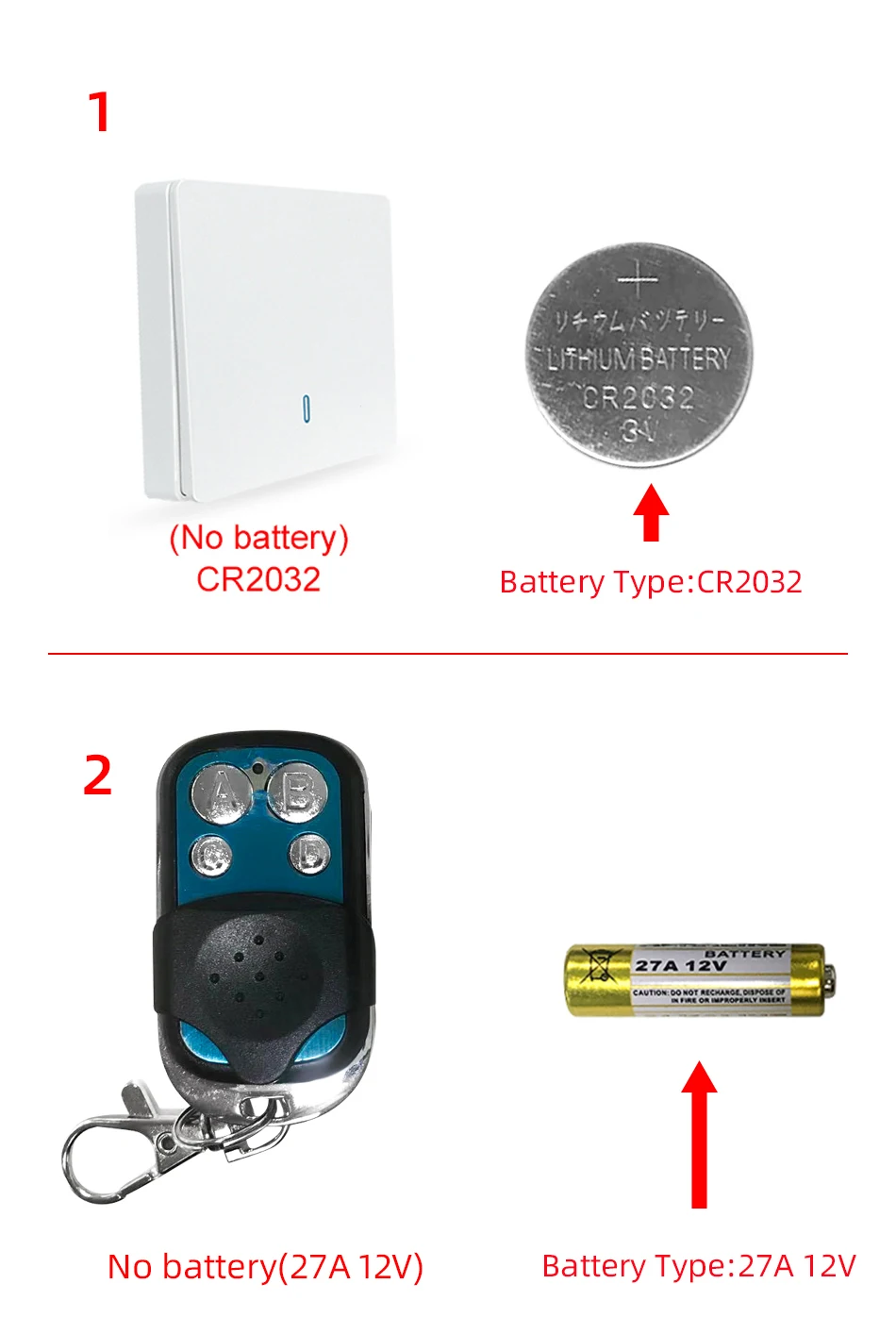
The RF433 remote controller don't include battery
Battery type 1: CR2032
Battery type 2 : 27A 12V
The picture of the battery is in the end of the page.
Note
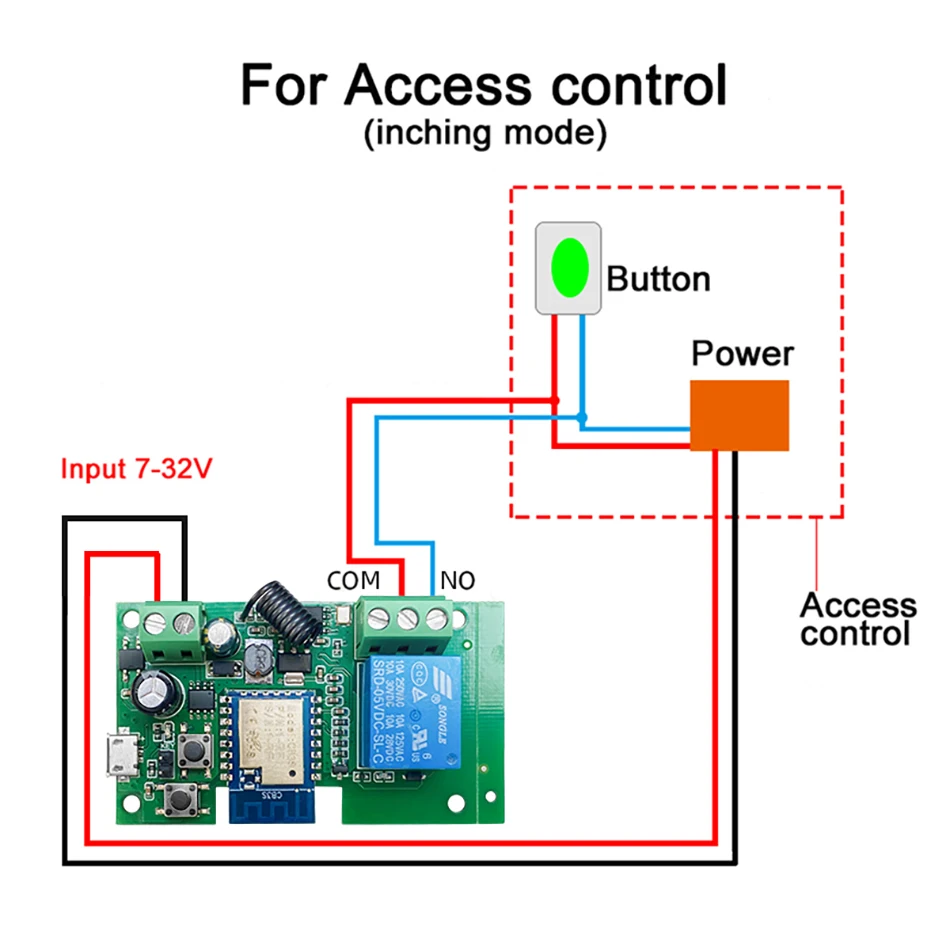
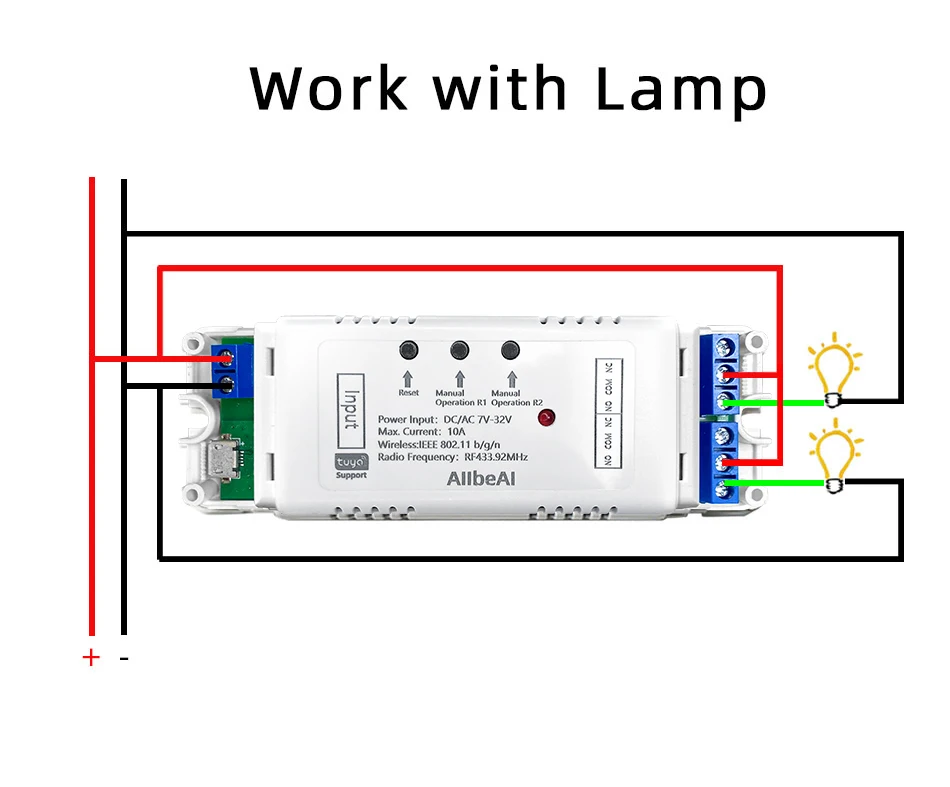
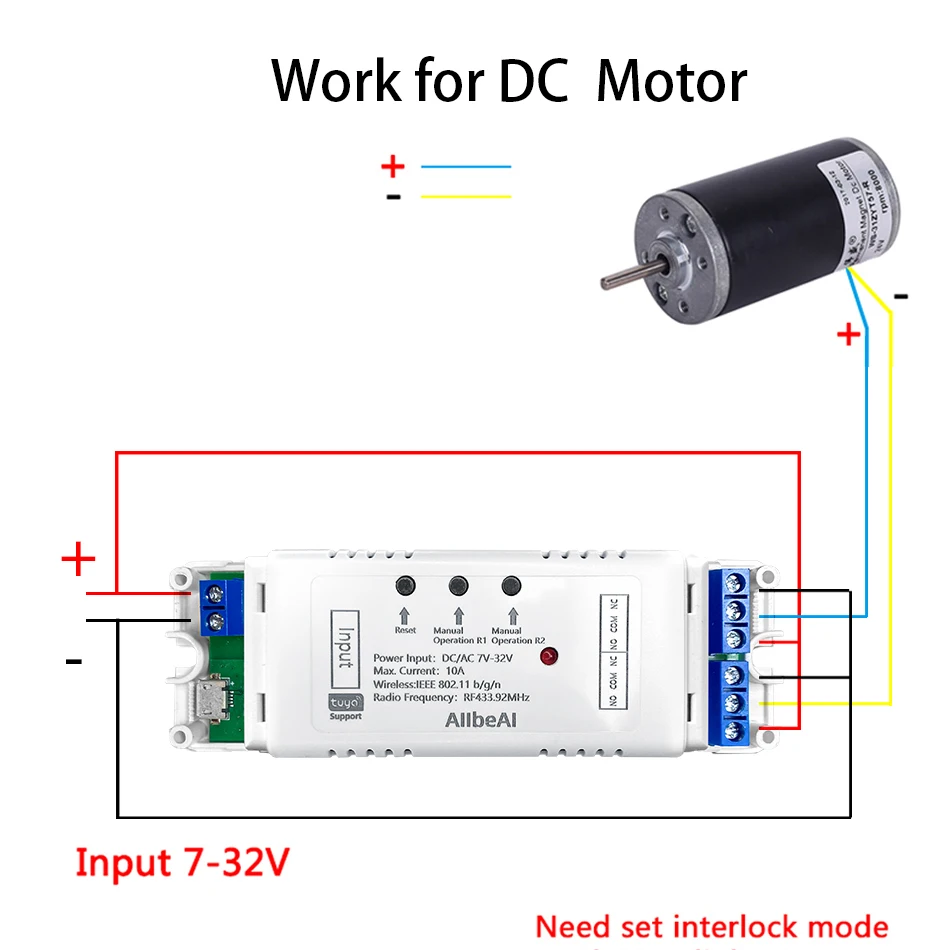
The relays is passive output(Dry contact), No matter the power you supply in the input, the output don't have same voltage, you also need to supply power in output.
The power supply in the iutput just can make PCB board work.if you do not supply power in output, the connectted device can't work.
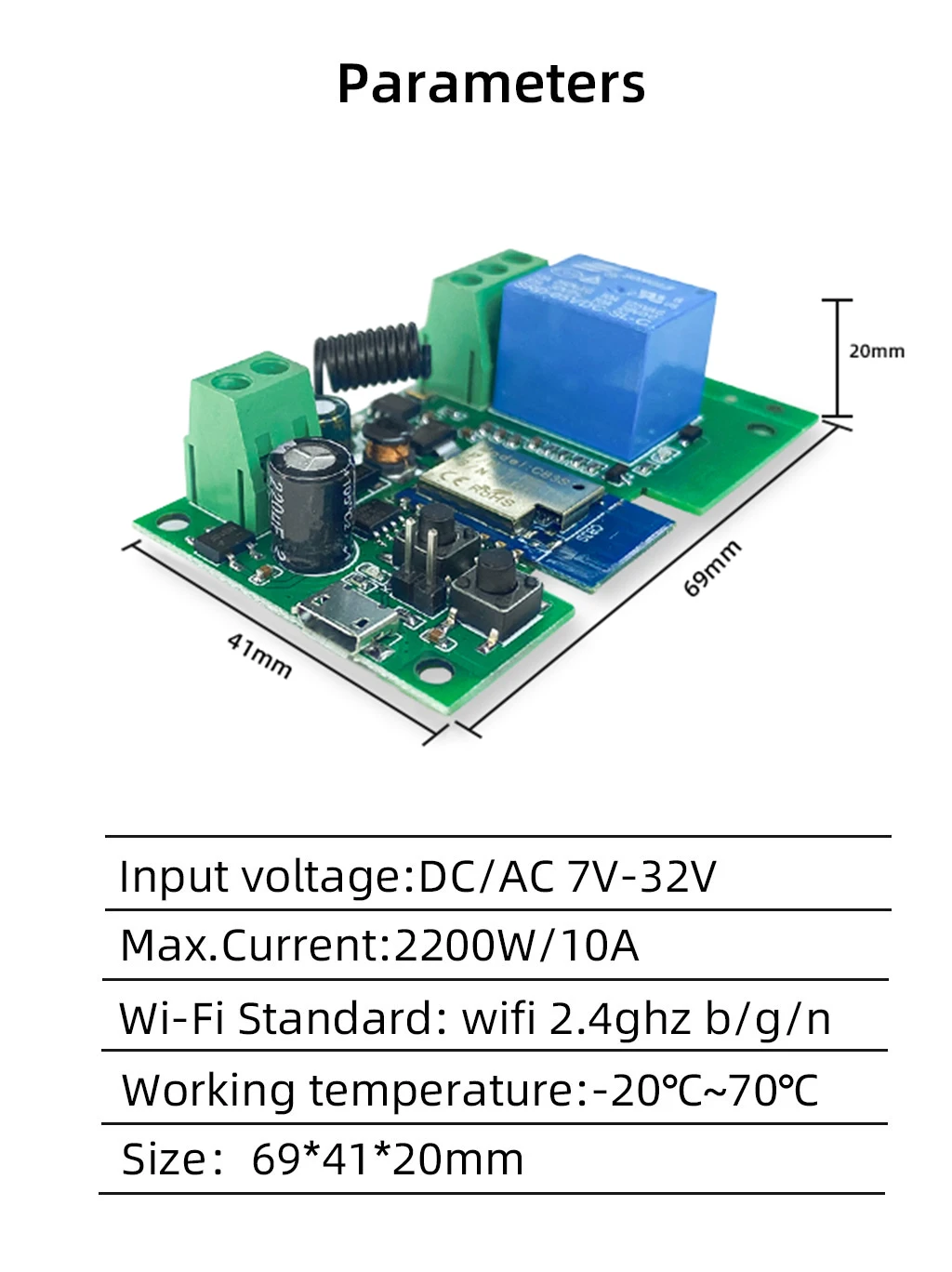
1 Channel Relay Overview
This product is a wireless DIY WiFi Relay with 2 working modes
2 Working Mode:
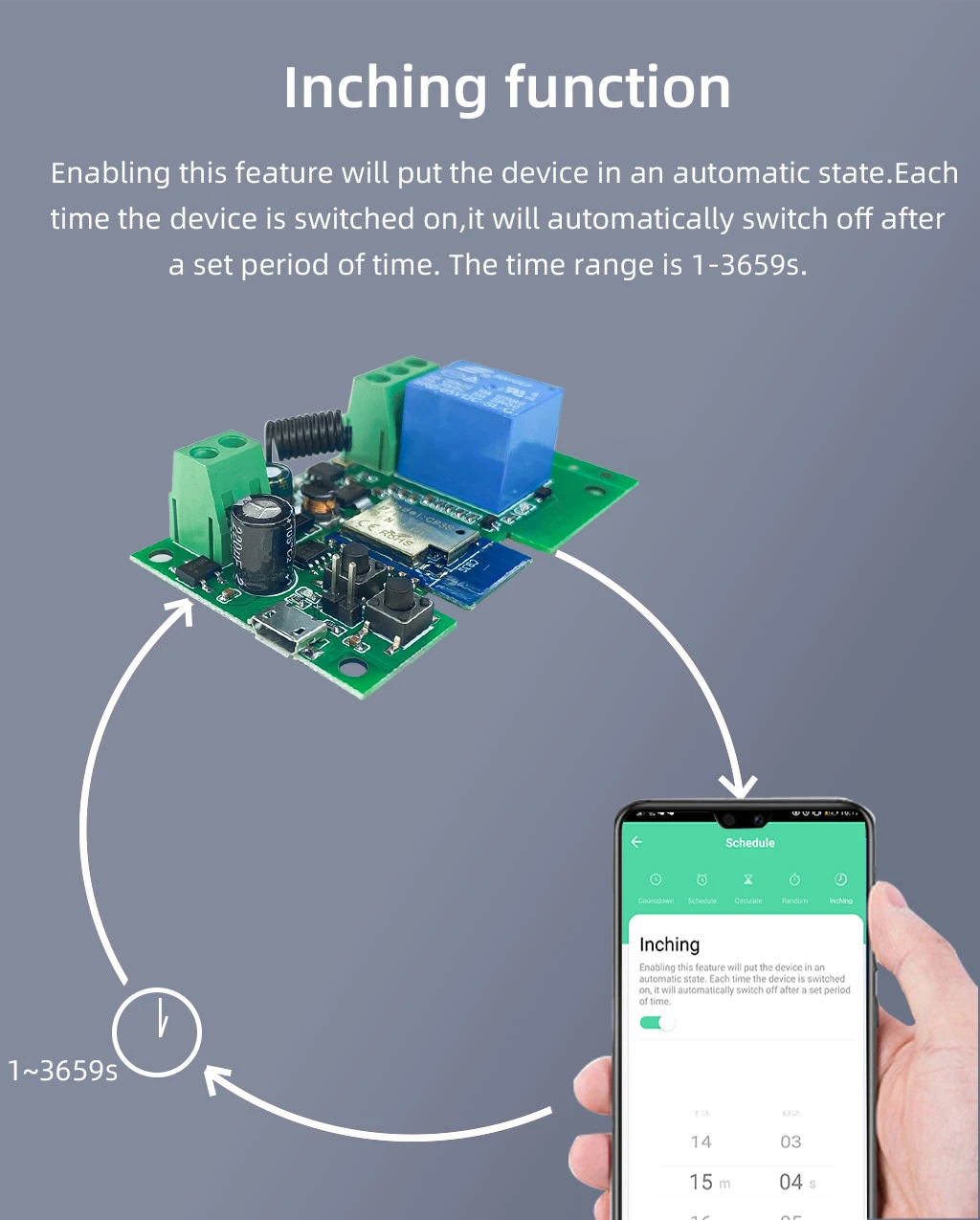
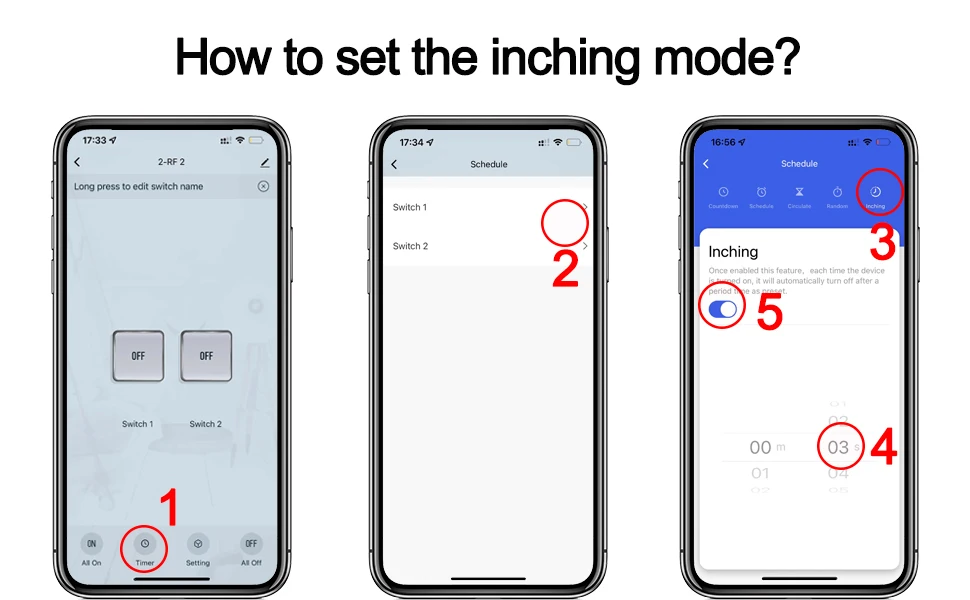
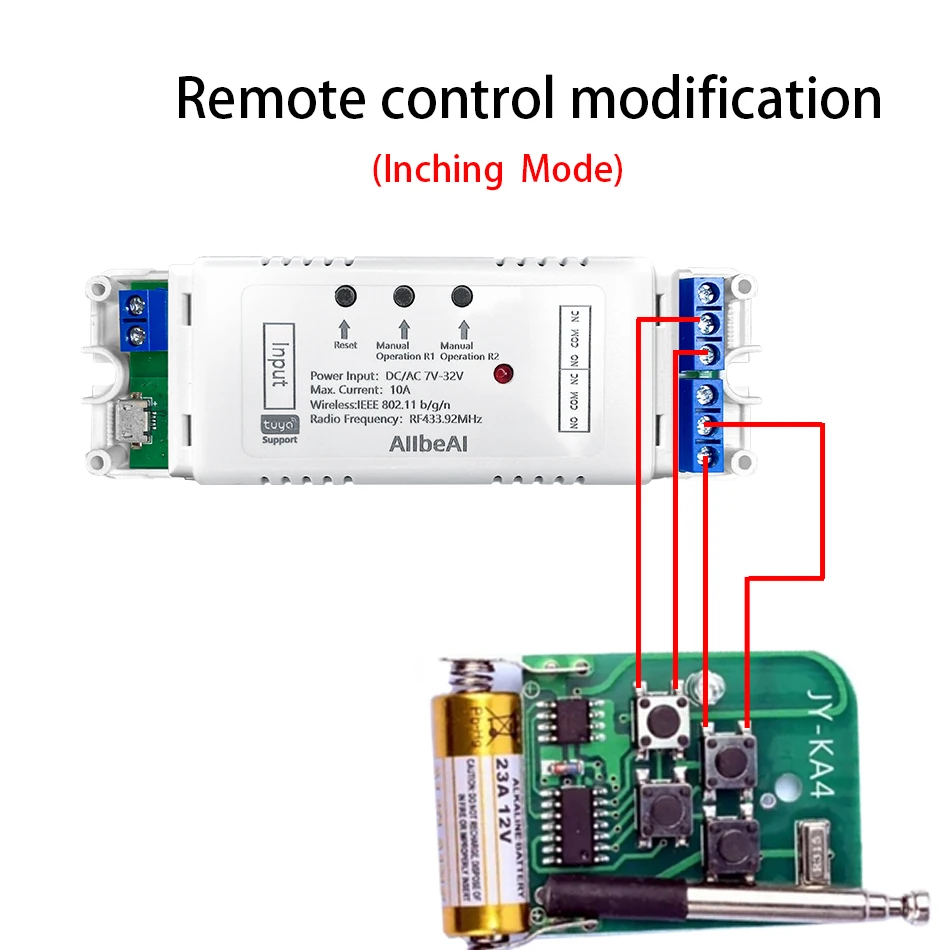
1.Inching mode :
Switch on one channel,the channel will be automatically closed after 0.5 seconds .Other channel is same as the channel.
2.Self-locking :
each channel could be switched on/off seperately.You can turn on/turn off all channel at the same time.
1 Channel module support inching mode/self-locking mode
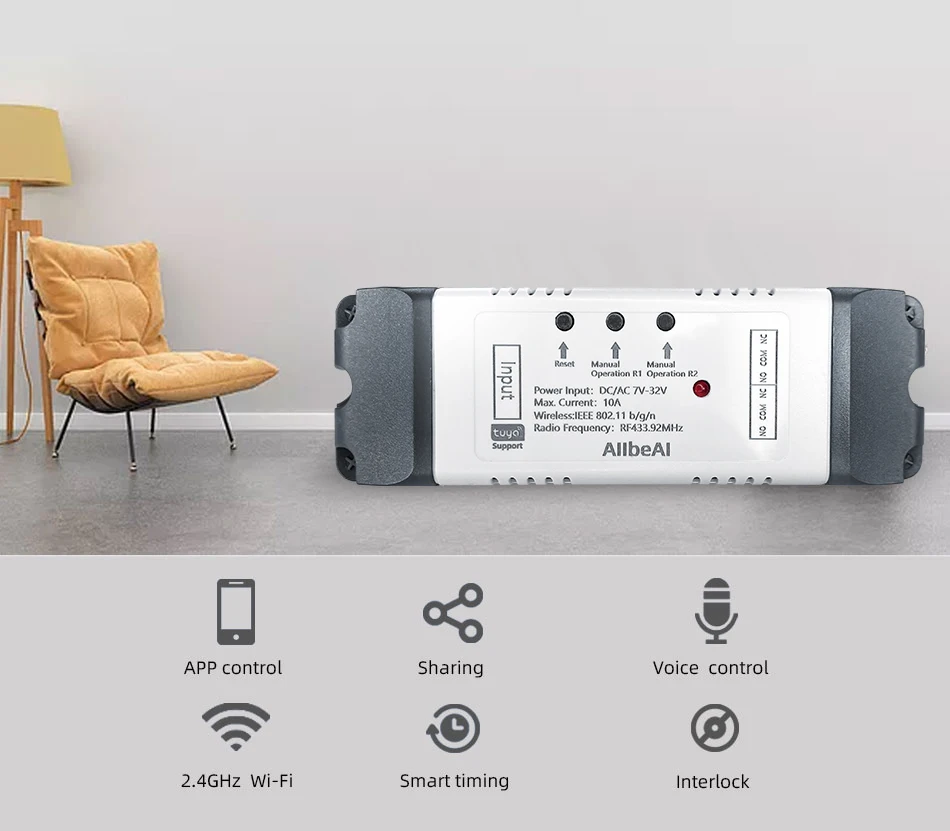
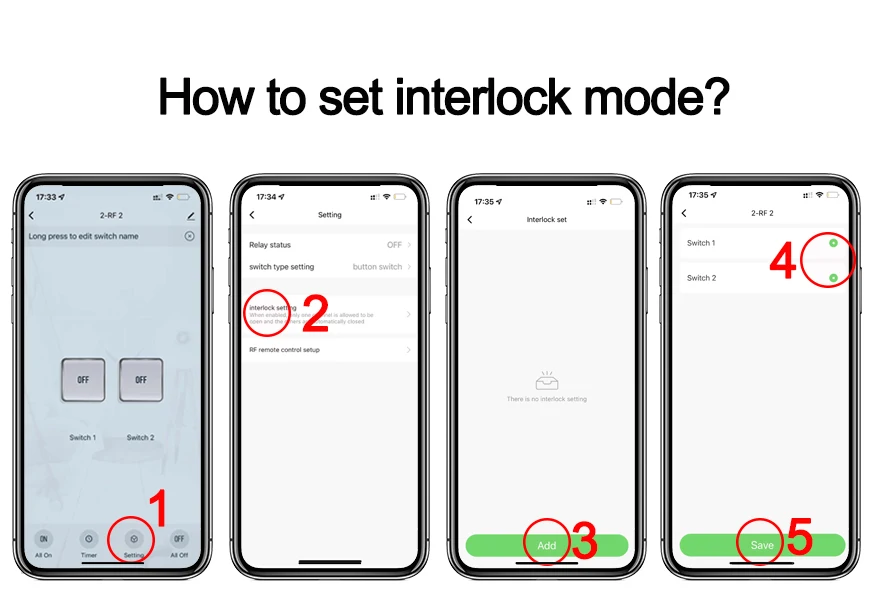
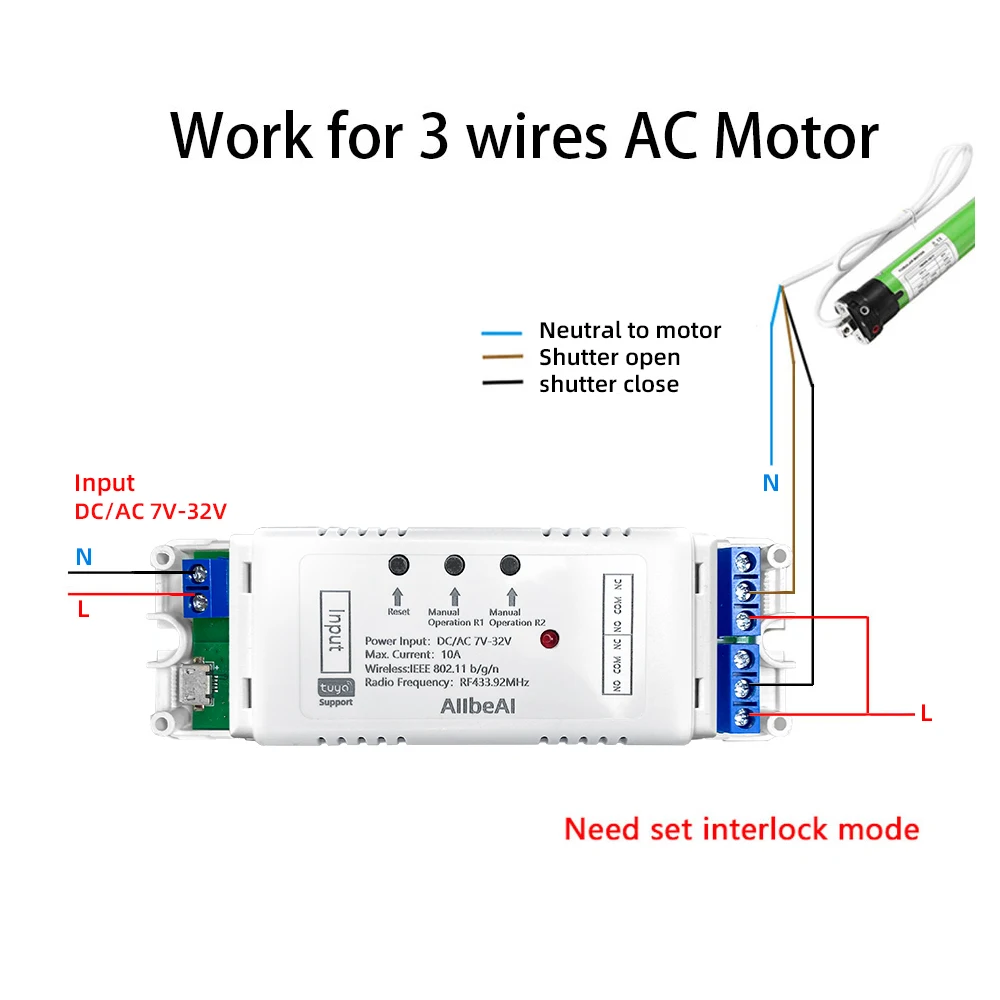
2 Channel module support inching mode/self-locking mode/interlocking mode.
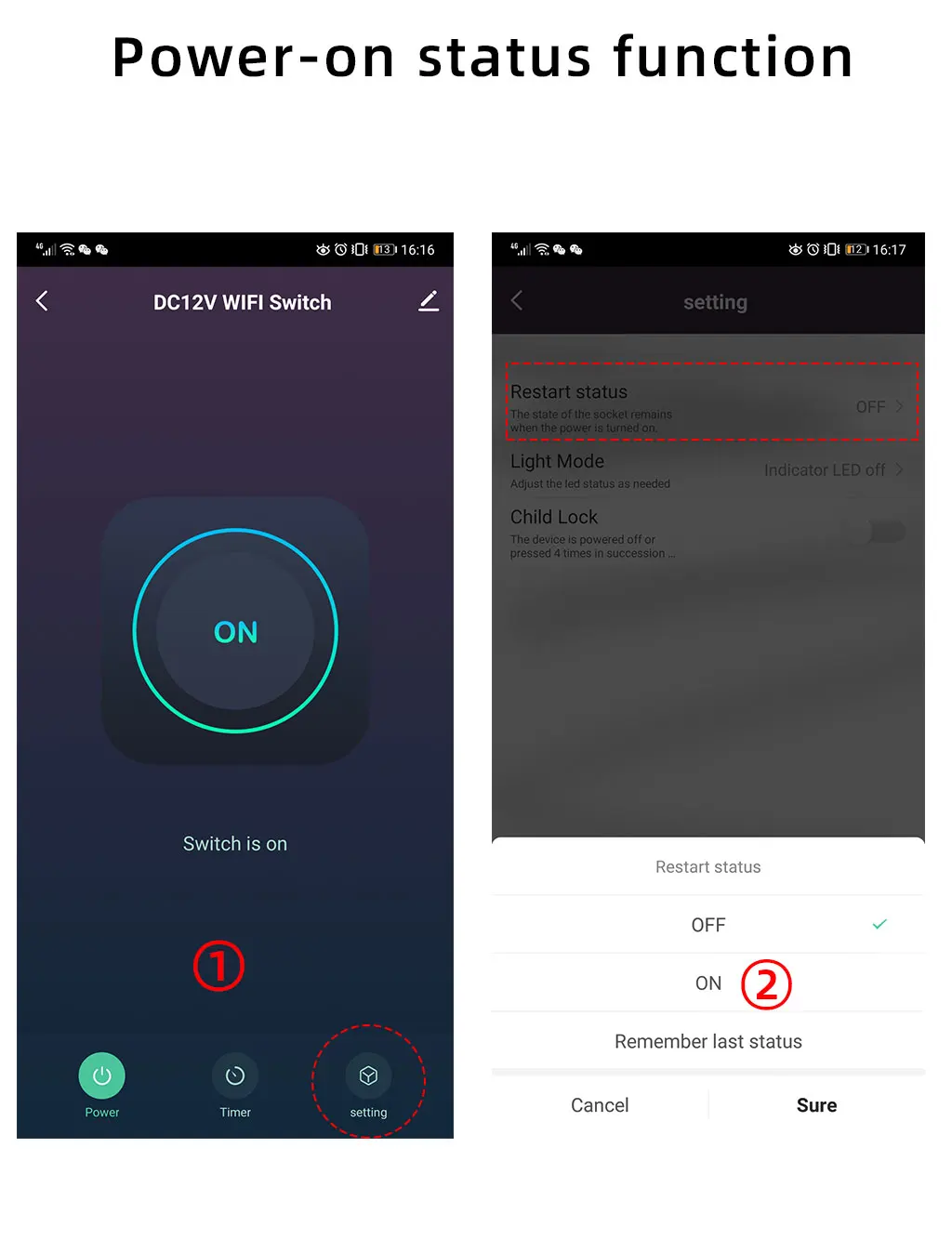
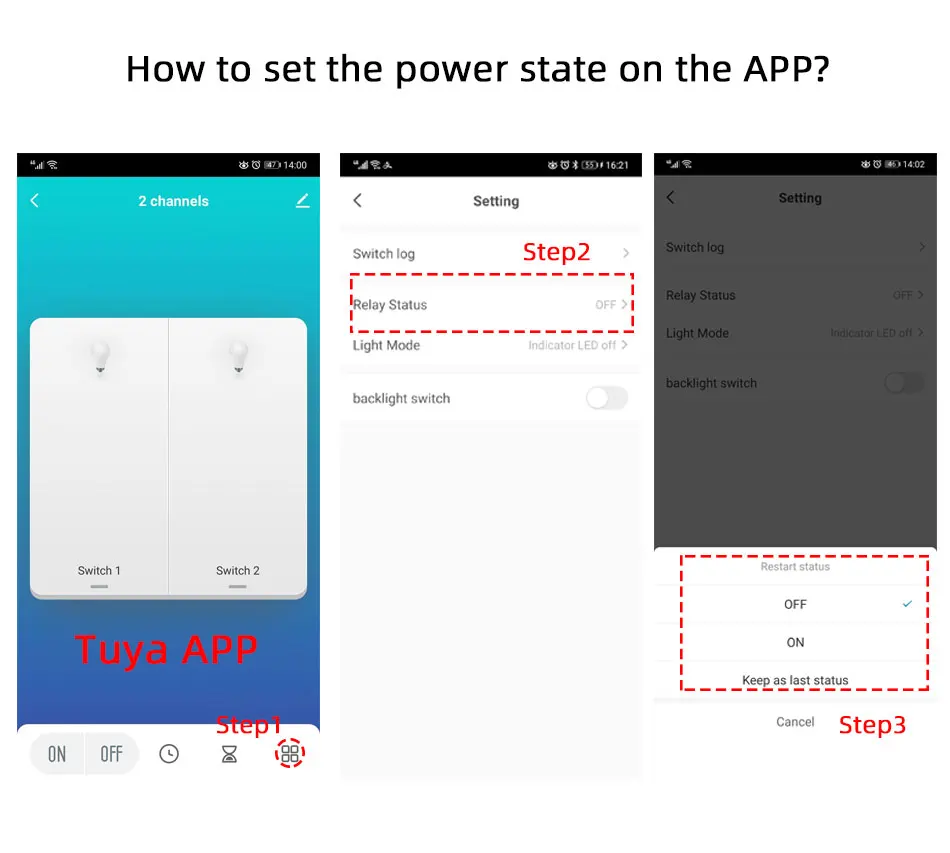
If you need to change the working mode,you need to change it in app.
Features:
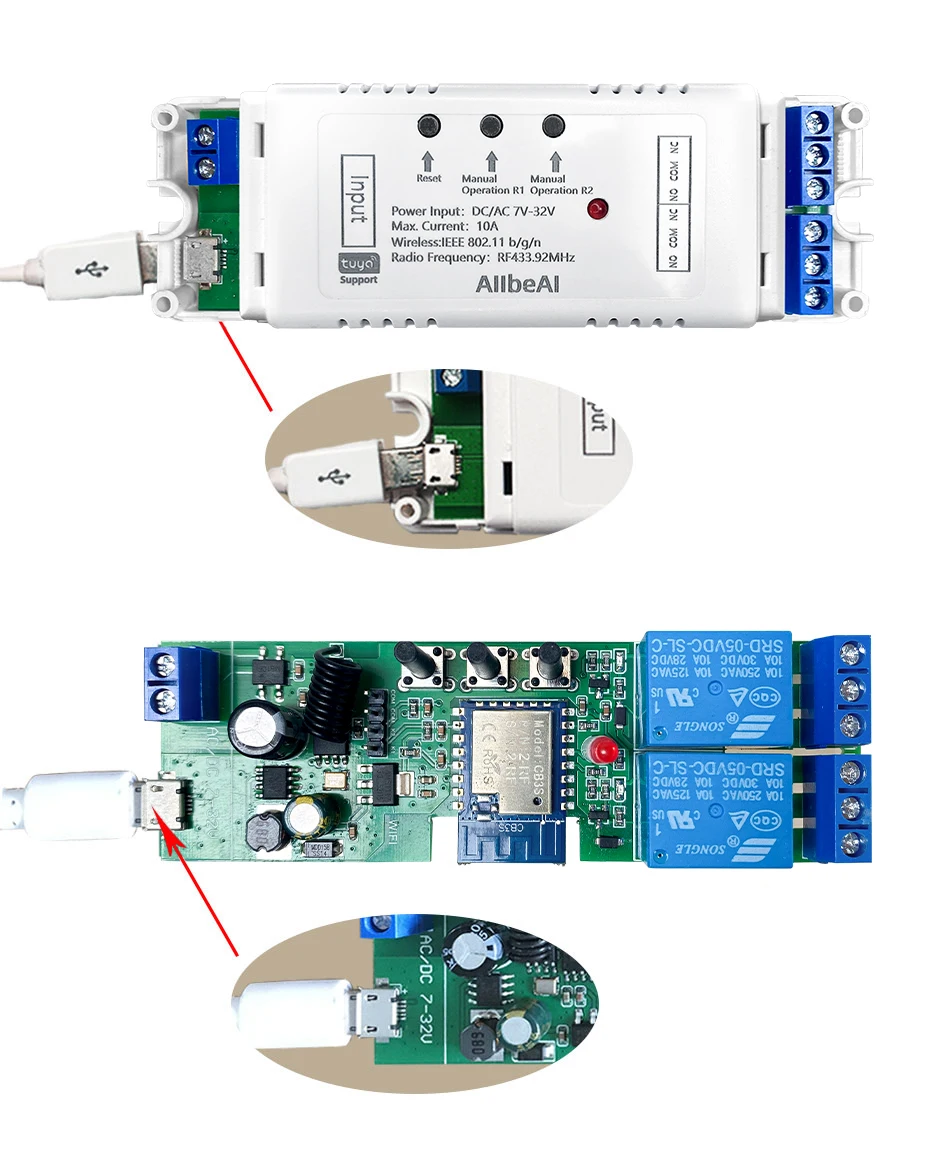
【Two Input Ports】
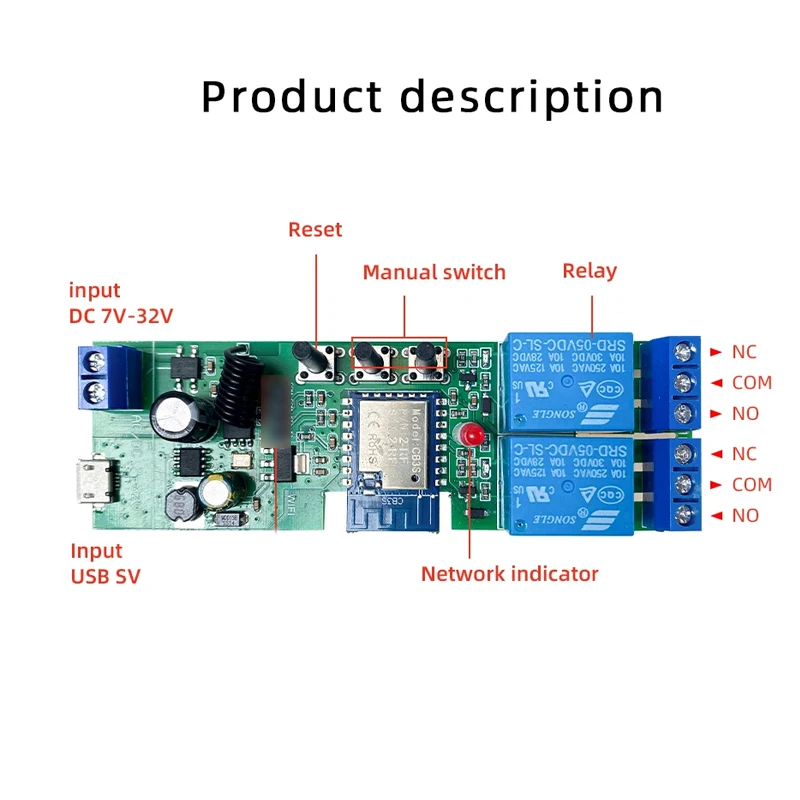
You could choose USB 5V port or the screw terminal port to supply power in the input to make the pcb board board work.
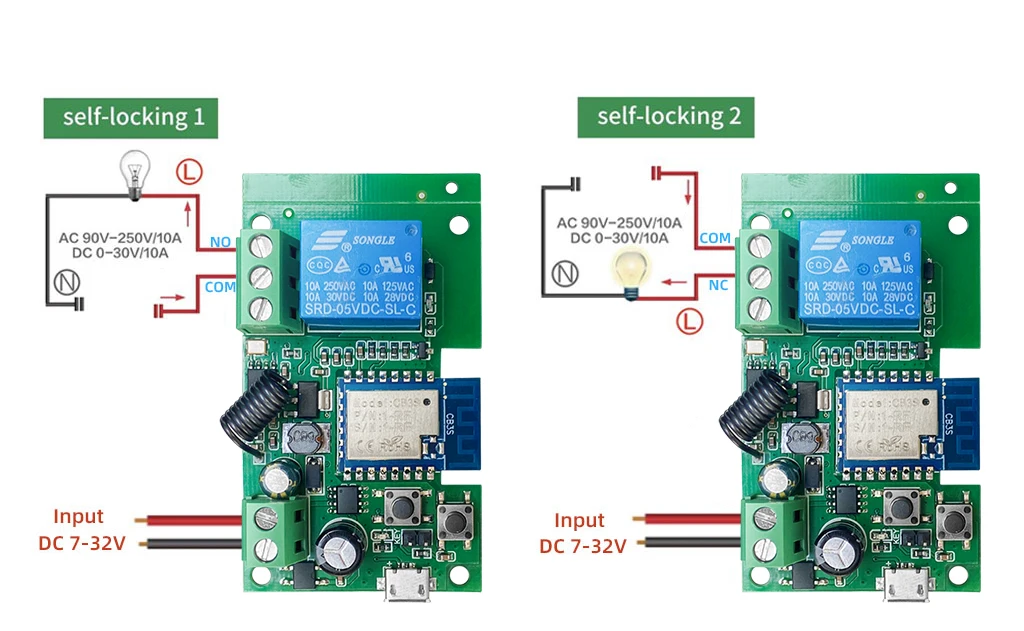
Wiring Diagram
2 Channel Overview
Wiring Diagram
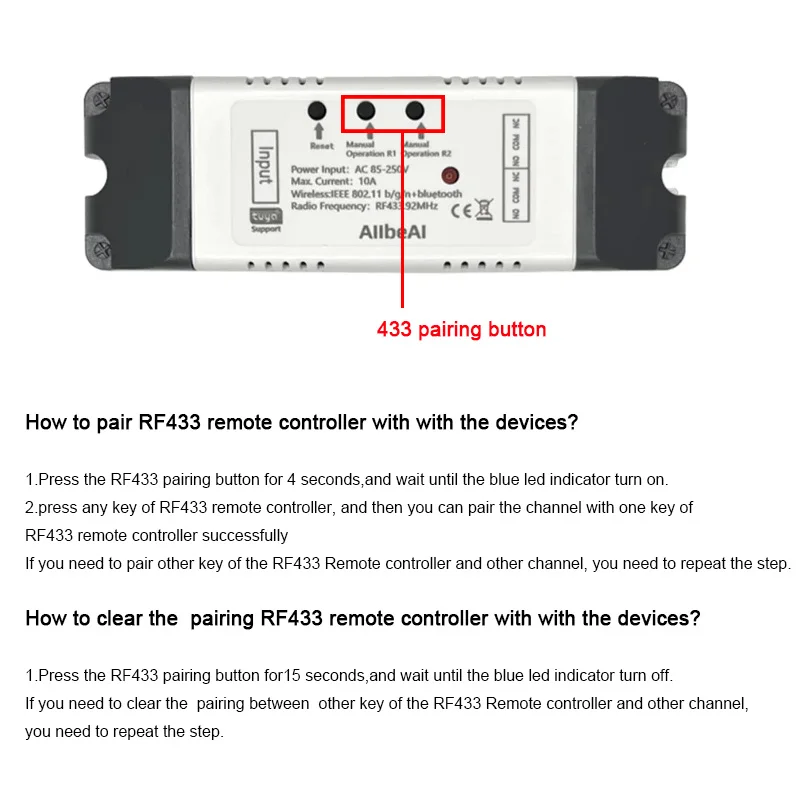
How to pair RF433 remote controller with with the devices.
1.Press the RF433 pairing button for 4 seconds,and wait until the blue led indicator turn on.
2.press any key of RF433 remote controller, and then you can pair the channel with one key of RF433 remote controller successfully
If you need to pair other key of the RF433 Remote controller and other channel, you need to repeat the step.
How to clear the pairing RF433 remote controller with with the devices.
1.Press the RF433 pairing button for15 seconds,and wait until the blue led indicator turn off.
If you need to clear the pairing between other key of the RF433 Remote controller and other channel, you need to repeat the step.
Specification: Tuya Smart WIFI 1CH 2CH Gate Electric Door Access Motor Lock Switch,DC 12V 24V 32V,1 2 Channel Pulse Relay Module,RF433 Remote
|
2 reviews for Tuya Smart WIFI 1CH 2CH Gate Electric Door Access Motor Lock Switch,DC 12V 24V 32V,1 2 Channel Pulse Relay Module,RF433 Remote
Be the first to review “Tuya Smart WIFI 1CH 2CH Gate Electric Door Access Motor Lock Switch,DC 12V 24V 32V,1 2 Channel Pulse Relay Module,RF433 Remote”


Related Products



3.47$ – 17.93$


There are no reviews yet.