


Q1-Tesla Microphone,CaraokeMic, Wireless Handheld Mic with 4 Joy Effects, Rechargeable Mic with Type-C Receiver & USB Converter

Buy Q1-Tesla Microphone,CaraokeMic, Wireless Handheld Mic with 4 Joy Effects, Rechargeable Mic with Type-C Receiver & USB Converter and . Find more then 6090301 products and Enjoy ✓Free Shipping Worldwide! ✓Limited Time Sale ✓Easy Return.
50.74$ – 63.62$




Dynamic Vocalism Principle :Experience high-quality sound with the dynamic vocalism principle that delivers clear and crisp audio.
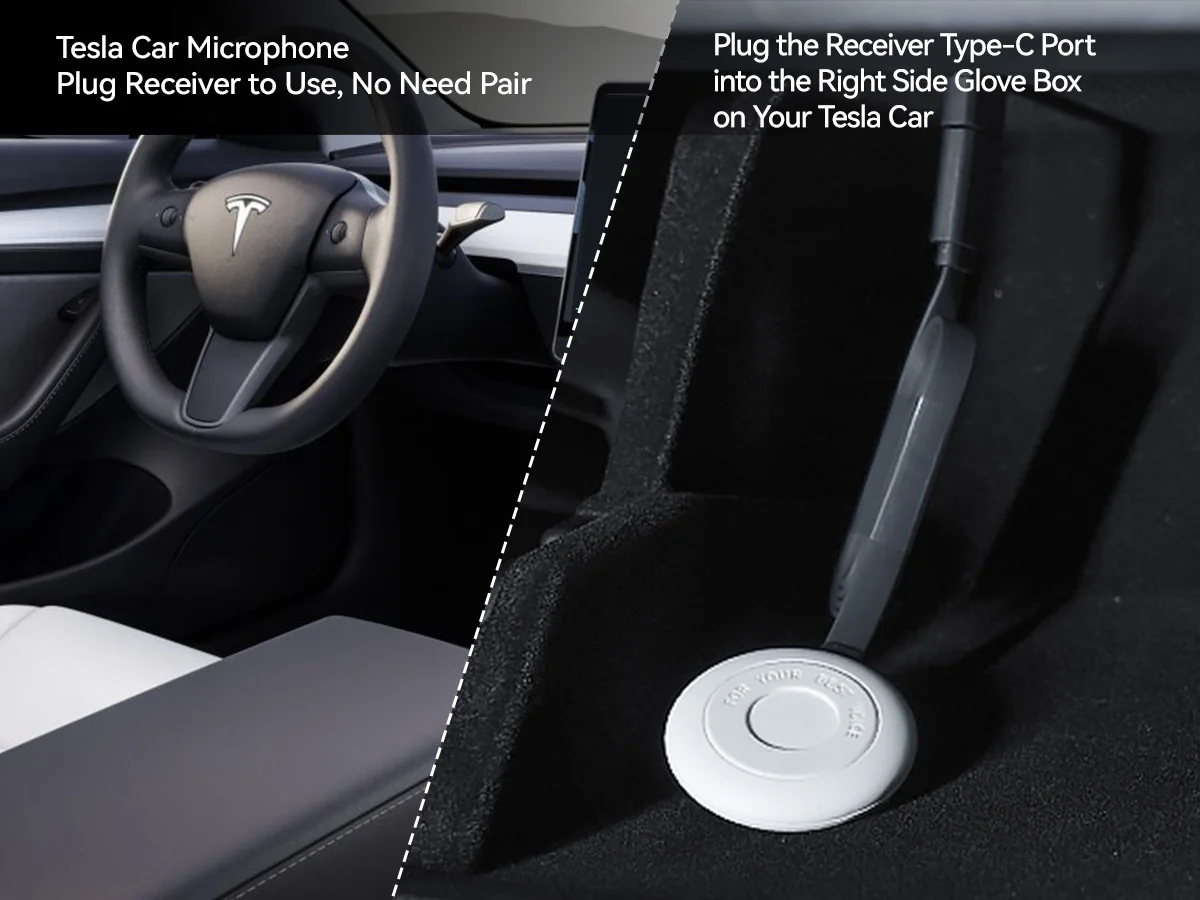
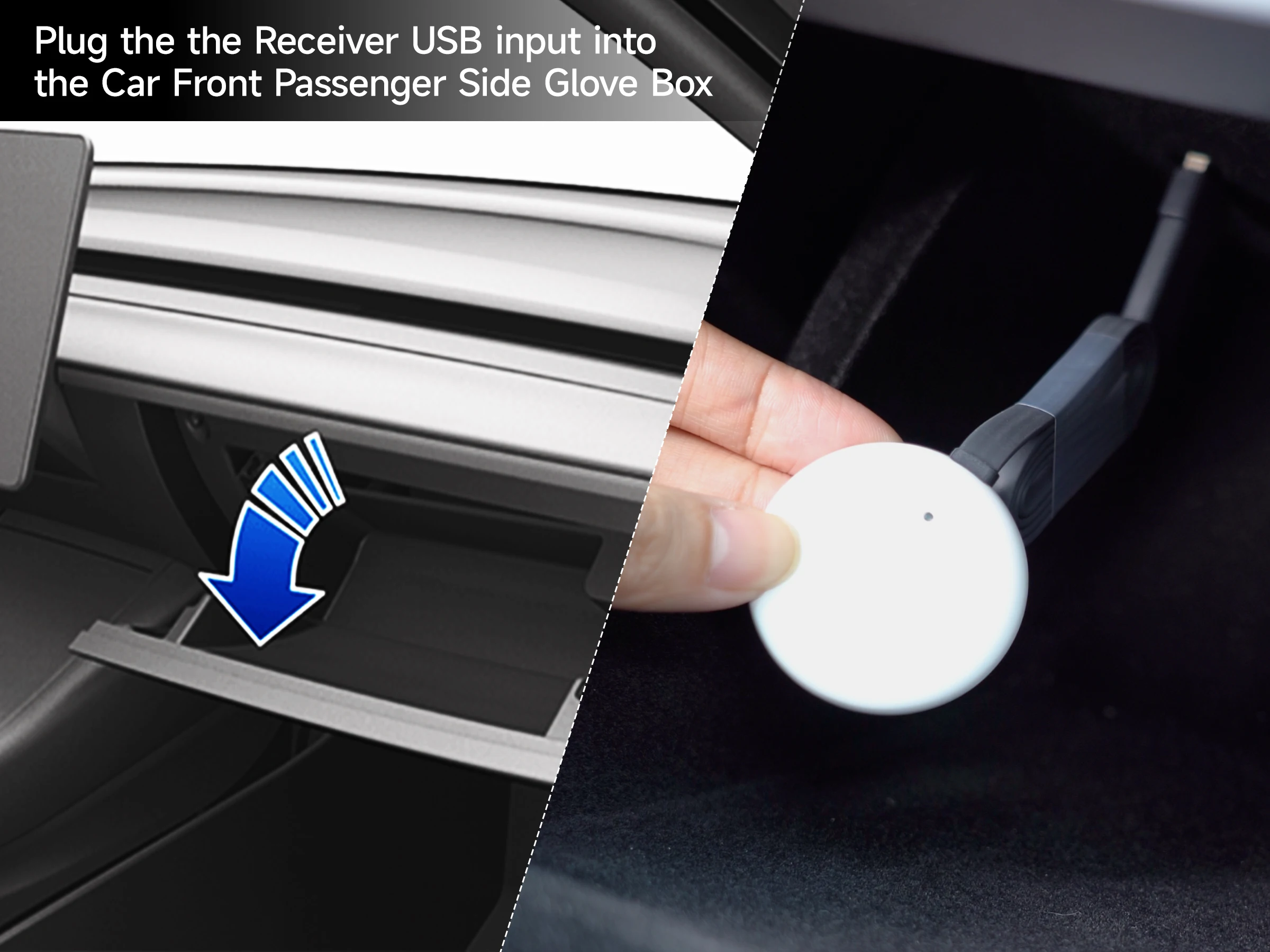
Volume Control :Adjust the volume of your music or calls with ease using the built-in volume control feature.


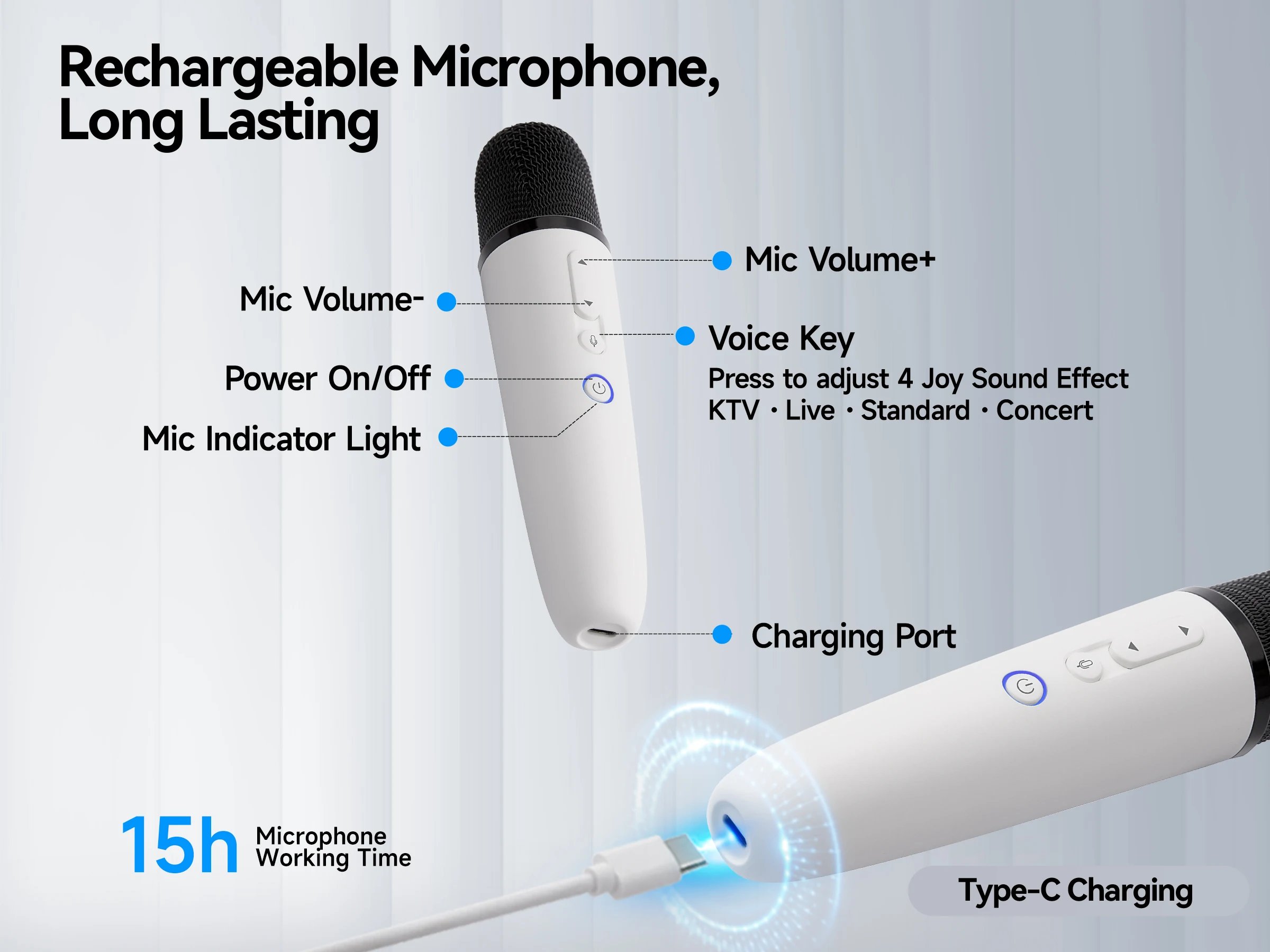
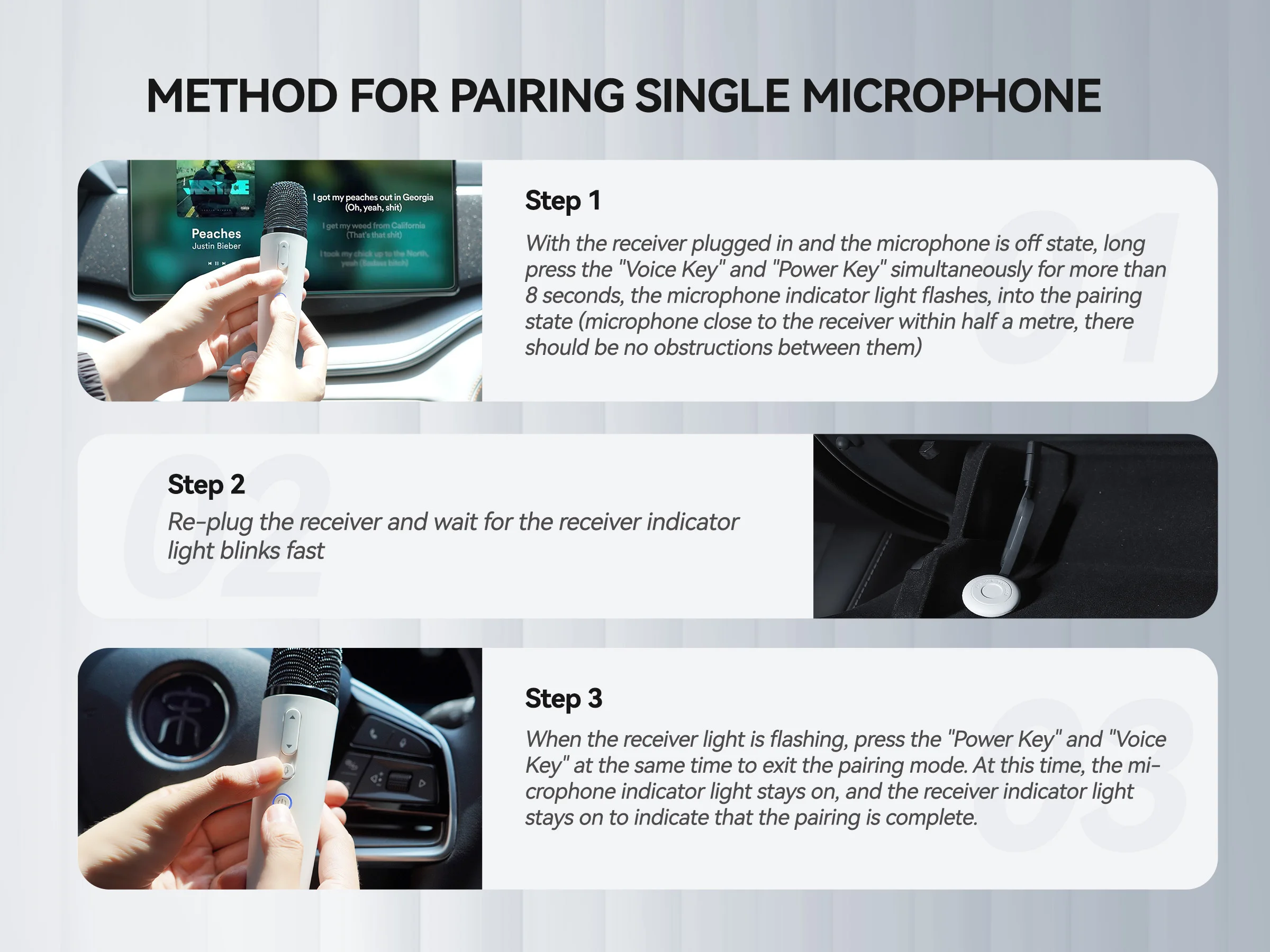
If no sound issues persist, you can follow these instructions to Re-Pairing the microphone:
Method for Pairing Single Microphone
Step 1
With the receiver plugged in and the microphone is off state, long press the "Voice Key" and "Power Key" simultaneously for more than 8 seconds, the microphone indicator light flashes, into the pairing state (microphone close to the receiver within half a mete, there should be no obstructions between them)
Step 2
Re-plug the receiver and wait for the receiver indicator light blinks fast
Step 3
When the receiver light is flashing, press the "Power Key" and "Voice Key" at the same time to exit the pairing mode. At this time, the microphone indicator light stays on, and the receiver indicator light stays on to indicate that the pairing is complete.
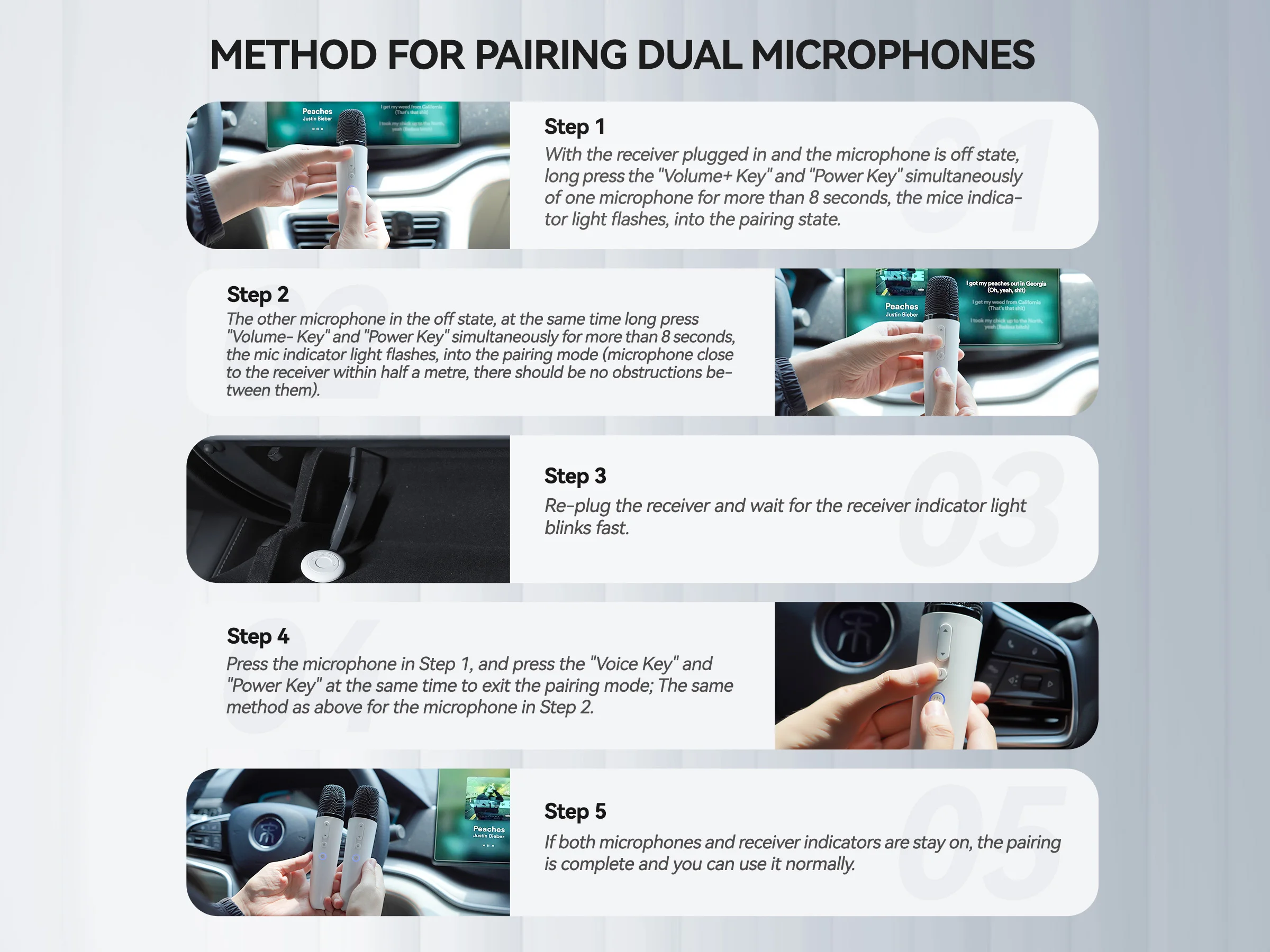
Method for Pairing Dual Microphones
Step 1
With the receiver plugged in and the microphone is off state, long press the "Volume+ Key" and "Power Key" simultaneously of one microphone for more than 8 seconds, the mice indicator light flashes, into the pairing state
Step 2
The other microphone in the off state, at the same time long press "Volume- Key" and "Power Key" simultaneously for more than 8 seconds, the mic indicator light flashes, into the pairing mode (microphone close to the receiver within half a met, there should be no obstructions between them)
Step 3
Re-plug the receiver and wait for the receiver indicator light blinks fast
Step 4
Press the microphone in Step 1, and press the "Voice Key" and "Power Key" at the same time to exit the pairing mode; The same method as above for the microphone in Step 2
Step 5
If both microphones and receiver indicators are stay on, the pairing is complete and you can use it normally.
Specification: Q1-Tesla Microphone,CaraokeMic, Wireless Handheld Mic with 4 Joy Effects, Rechargeable Mic with Type-C Receiver & USB Converter
|
10 reviews for Q1-Tesla Microphone,CaraokeMic, Wireless Handheld Mic with 4 Joy Effects, Rechargeable Mic with Type-C Receiver & USB Converter
Be the first to review “Q1-Tesla Microphone,CaraokeMic, Wireless Handheld Mic with 4 Joy Effects, Rechargeable Mic with Type-C Receiver & USB Converter”


Related Products


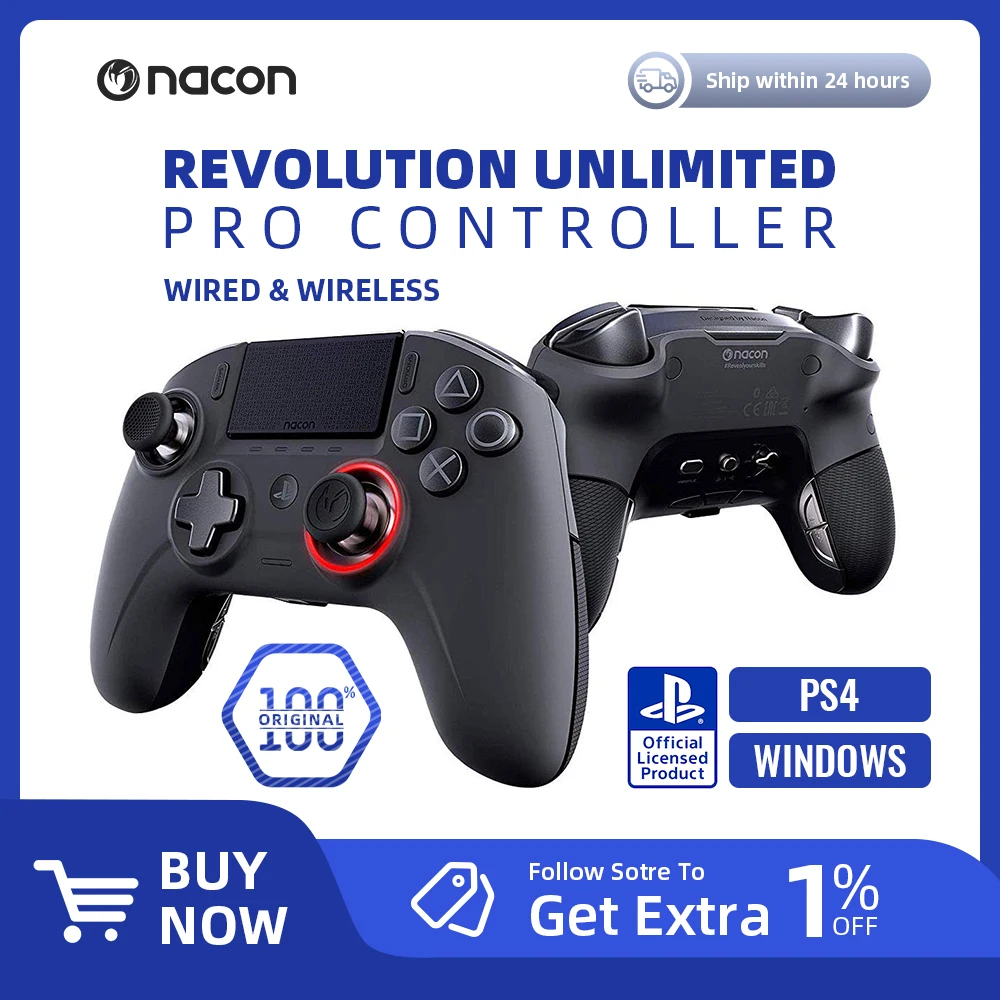
Nacon Revolution Unlimiteo Por Controller Black – for Sony PlayStation4 PS4 and PC Supports wired/wireless modes
50.74$ – 63.62$


There are no reviews yet.